
Shared Libraries: Build and Manage Your Home Library Together
Your book collection doesn't belong to just you. It sits on shelves your family walks past every day. Your partner borrows a novel, your kid grabs a picture book, a friend returns something they borrowed months ago. A home library is shared by nature - now librari.io reflects that.
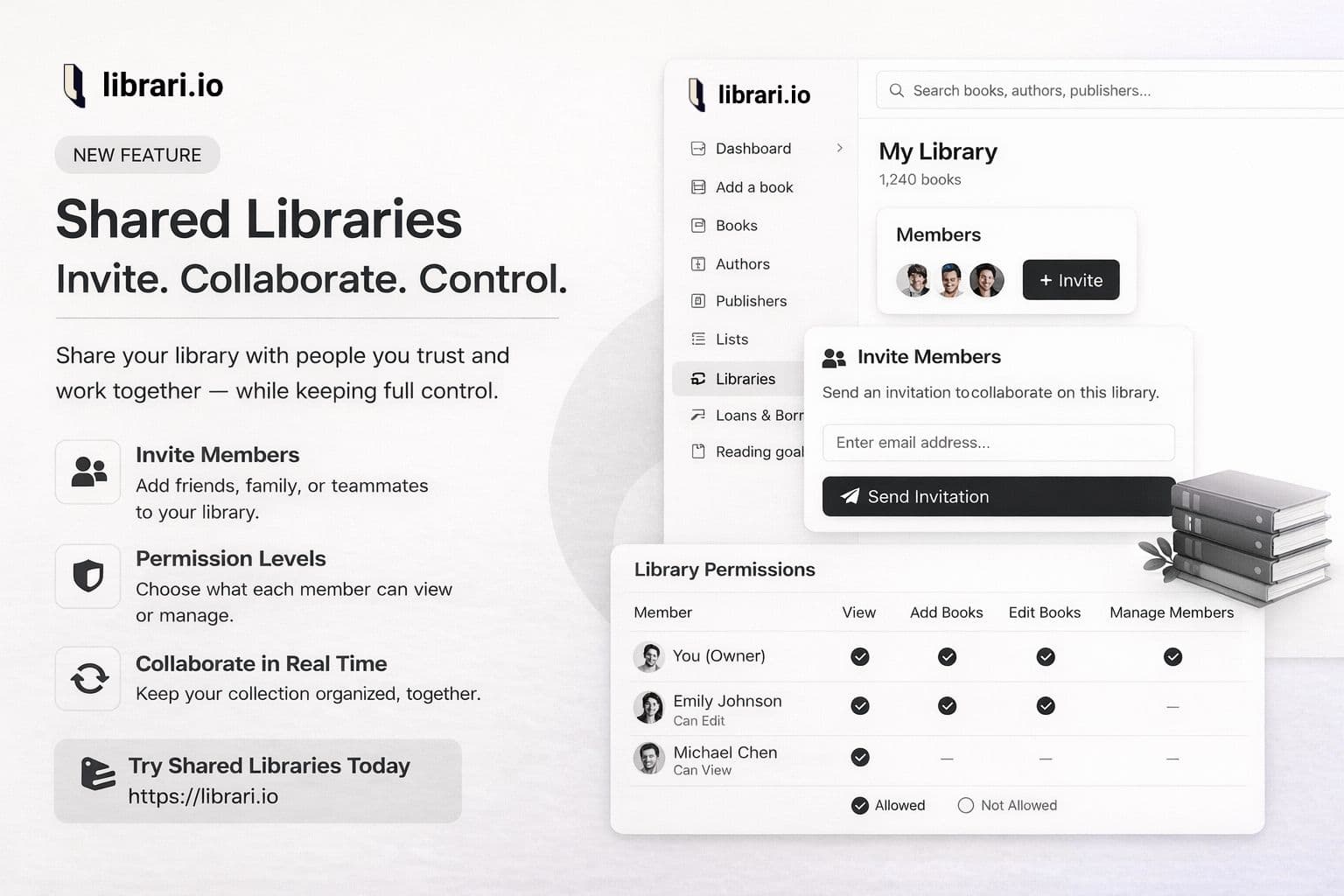
With Shared Libraries, you can invite family members, roommates, or friends to collaboratively manage a single book collection. Everyone sees the same shelves, the same books, and the same metadata - while keeping their personal reading experience private.
How It Works
Invite Anyone with an Email
From your library settings, invite someone by entering their email and choosing a role. They'll receive an email invitation with a link to join. If they already have a librari.io account, they'll also get an in-app notification. Invitations are valid for 7 days - if it expires, just send a new one.
Once they accept, your library appears alongside their own in the app. They can even set your shared library as their default.
Two Roles, Clear Boundaries
Every member gets one of two roles:
- Viewer - Browse the collection, see what's on the shelves, check what's available. Perfect for someone who just wants to find a book to read.
- Editor - Add books by searching, scanning a barcode, or entering details manually. Edit metadata, manage shelves, create tags, track loans, and build reading lists.
Each role comes with sensible default permissions, but you can fine-tune access per member. Want someone who can add books but not delete them? Done.
Shared Data, Personal Experience
This is where it gets interesting. In a shared library:
- Book metadata is shared. Title, author, publisher, page count, custom fields - everyone sees the same information. When one person updates a book's details, the change is visible to all members instantly.
- Personal data stays personal. Your reading status, ratings, and progress are yours alone. You and your partner can both track the same book independently - she's halfway through, you haven't started yet.
This means the catalog is collaborative, but the reading experience remains individual.
Custom Fields Work Seamlessly
If you've set up custom fields for your library - like "Shelf Location," "Condition," or "Purchase Price" - those fields are shared with all members too. When an editor updates a custom field value, every member sees the update. The library owner controls which custom fields exist; members with the right permissions can fill them in.
Know Who Did What
Every action in a shared library is logged. You can see a timeline of activity: who added a book, who updated a field, who created a new shelf or tag. Each book also shows who added it and how - whether it was via search, barcode scan, or manual entry.
This isn't about surveillance - it's about context. When you see a new book appear in your library, you'll know your partner added it last Tuesday by scanning the barcode.
A Few Details Worth Mentioning
- Your plan, your limits. Book count and member seats are determined by the library owner's plan. Members contribute to a shared collection without needing their own paid plan.
- The owner stays in control. Only the library owner can invite or remove members, adjust permissions, and manage custom field definitions. Members can leave at any time.
- No conflicts, no drama. When two people edit the same field, the last save wins. Since the activity log tracks who changed what, there's always a clear record. For a home library, this is the right tradeoff - simplicity over complexity.
Why We Built This
Most home libraries aren't solo projects. Books get shared, borrowed, reorganized, and discussed. We wanted librari.io to match the reality of how people actually live with their books - together.
Whether it's a couple merging their collections, a family keeping track of hundreds of kids' books, or a group of friends running an informal lending library, Shared Libraries makes it possible to manage one collection as a team.
Shared Libraries is available now. Invite your first member from Library Settings → Members and start building your collection together.